EN or PT, in the top bar
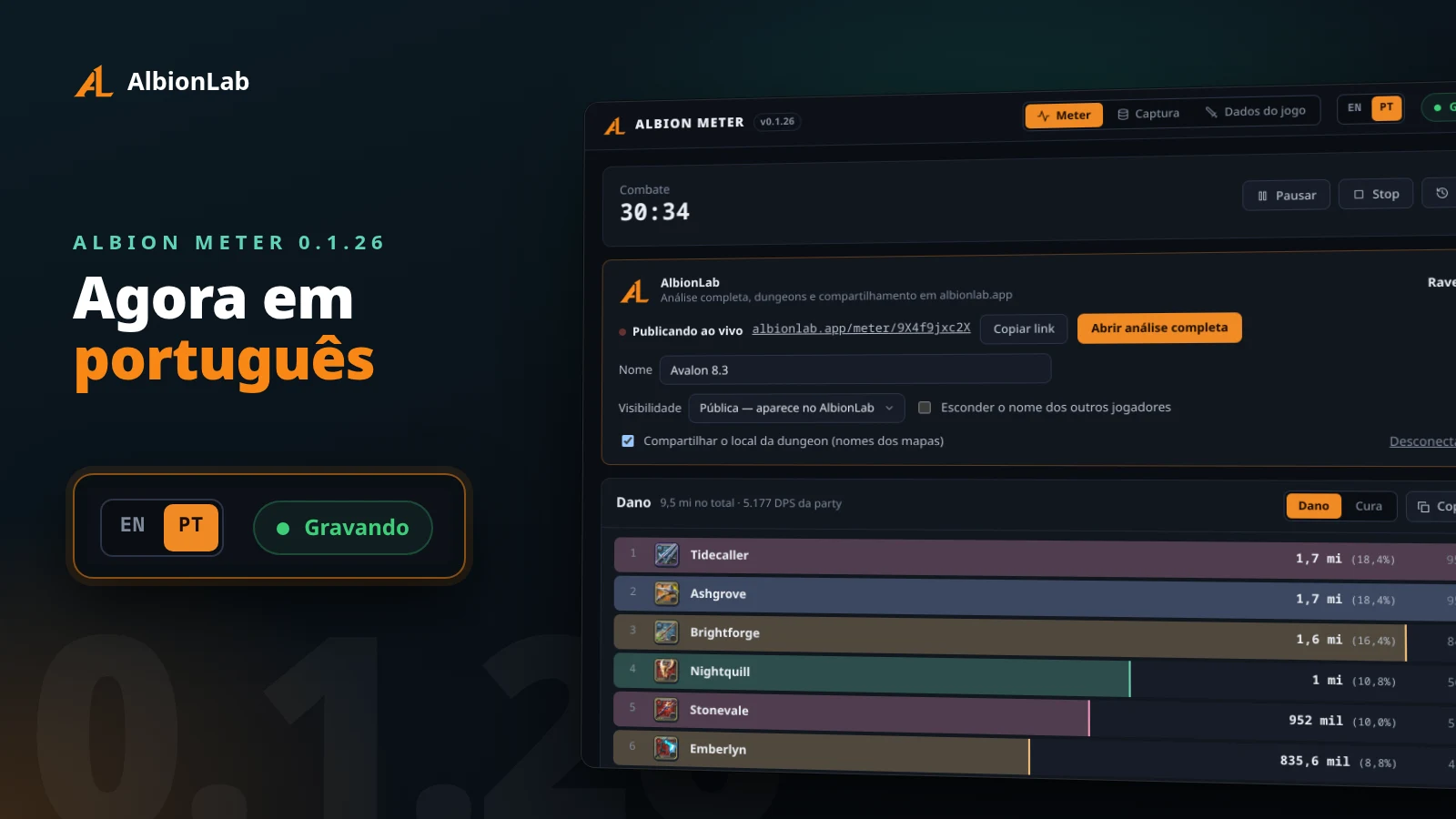
Albion Meter was English only. From 0.1.26 it also comes in Portuguese. The switch sits in the top bar, between the Meter, Capture and Game data tabs and the recording status. Click EN or PT and the whole window changes right away. Your record keeps running.
Your choice is remembered
The meter saves the language in its settings file, in the app’s own data folder (%APPDATA%\Albion Meter on Windows, ~/.config/Albion Meter on Linux). The next time you open it, it starts in that language, startup screen included.
On the first run there is nothing saved yet, so the meter follows your system: Portuguese if Windows or Linux is set to any Portuguese, English otherwise.
What changes language
- The meter screen: Play, Pause, Stop and Reset, the damage and healing ranking, and the AlbionLab card with its visibility options.
- Capture and Game data, including the hints for packet capture permission.
- The Copy menu and the ranking image you paste in Discord.
- The update notice and the startup window.
- Error messages from the capture service and from AlbionLab.
Numbers follow the language too: 37.5K becomes 37,5 mil in Portuguese.
Weapon and map names don’t change. They come from the game files and stay as the game writes them. Session names you give on AlbionLab stay as you typed them.
Also in 0.1.26
- A weapon icon that fails to download shows “?” and is tried again a little later, instead of a broken image.
- Some items didn’t get an icon at all, because the game’s image service refuses them at one size. The meter and the site now ask for another size.
How to update
The desktop app downloads 0.1.26 by itself and shows the notice in the corner when it is ready. Every file is also on the changelog.
Read next
- Tutorial: install the meter and record your first run.
- Albion Meter 0.1.16: weapon families, and more control over your data.